 Install with Gale
Burglin Gnome Music
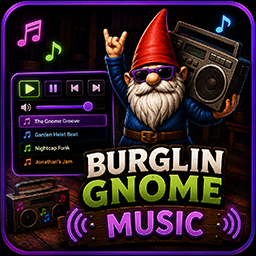
Replace the music box's tune in Burglin' Gnomes with your own music — local files, direct URLs, or internet radio. Comes with an in-game control panel, works on the boombox you hold and one you set down, syncs to friends in co-op, and even hijacks Jonathan's boombox.
Features
- Your own music on the music box — drop audio into a folder and it plays instead of the default track.
- Three sources: local files, direct audio URLs, and radio streams (Icecast/Shoutcast).
- In-game control panel (default F8) — play/pause, next/prev, a volume slider, and a click-to-play playlist.
- Set it down and it keeps playing — a dropped boombox becomes a positional world speaker.
- Multiplayer sync — friends hear the boombox you're holding or that you've set down.
- Jonathan's boombox — the Jonathan enemy plays your music too, however he spawns.
- Spawn / Remove Jonathan buttons, and optional DJ control to drive his music from the panel.
Installation
Install with a mod manager (Gale / Thunderstore) or manually drop the plugin folder into BepInEx/plugins/.
On first launch the mod creates this layout next to its DLL:
BepInEx/plugins/Burglin Gnome Music/
├── BurglinGnomeMusic.dll
├── songs.yml          (auto-created; only needed for URLs/streams)
└── LocalMusic/        (auto-created; drop audio files here)
Requires BepInEx 5. Everything is bundled in the one DLL — no extra dependencies to install.
Adding music
Local files (simplest)
Drop .wav, .mp3, or .ogg files into the LocalMusic folder. That's it — they load automatically and join the playlist. No config needed.
Use real Ogg Vorbis for
.ogg(Opus-in-ogg won't decode)..wavis the most reliable.
URLs and streams (songs.yml)
songs.yml is only needed for web links or to rename a local file. Entries go under a single songs: key:
songs:
  - name: My Hosted Track
    url: https://example.com/song.mp3        # direct link to an audio FILE

  - name: My Local Song
    file: mysong.wav                          # a specific file in LocalMusic

  - name: Some Radio Station
    url: https://direct-server.example.com/stream-128-mp3
    stream: true                              # continuous radio stream
Rules that matter: use spaces, never tabs; songs: at the left margin; each entry starts with - indented two spaces. A stray tab or a second songs: key will fail to parse.
Stream notes: MP3/OGG only (AAC won't decode). Use a station's direct server URL, not a load-balancer link, or it may return no data. Only use streams whose terms permit game/app use.
Controls
| Key | Action |
|---|---|
| F8 | Open/close the control panel |
| F3 | Reload the playlist from disk (after editing files/songs.yml) |
| F10 | Skip to the next track |
All keys, plus Volume and Change Jonathan Music, are rebindable in the config (Config section) — edit the .cfg or use a config-manager mod.
The panel also has: Play/Pause, Reload, Prev, Next, a volume slider, a "Replace Jonathan's music" toggle, Spawn/Remove Jonathan, DJ: control nearest Jonathan, and the full playlist (click any track to play it; the current one is highlighted).
Multiplayer
Everyone needs the mod installed. What friends hear depends on the source:
- URL tracks sync to everyone automatically — only the person controlling the box needs the URL; each client loads it themselves. This is the frictionless option.
- Local files sync by name — a friend hears your local track only if they have a file of the same name (
My Song.mp3→ they needMy Songtoo). The audio itself isn't sent over the network. - Streams don't sync to dropped/held boxes.
Both the boombox you hold and one you set down sync to other players.
Jonathan
- With Replace Jonathan's music on, any Jonathan in the level plays your music (a random track), however he spawned.
- Spawn Jonathan uses the BurglinSpawns mod if it's installed (falls back to a built-in prefab lookup). Remove Jonathan despawns any in the level. Both are host-only.
- DJ: control nearest Jonathan binds his boombox to the panel so Play/Pause/Next/Prev drive his music. Toggle it off to hand him back to random ambient mode. (DJ picks are local to you; friends still hear their own random track on him.)
Troubleshooting
Failed to parse songs.yml— a tab, bad indentation, or a duplicatesongs:key. Rebuild the file with spaces (see example above).- A URL track is silent — check the log for
[Load] '...' failed: .... Usually a redirect or hotlink block; rehost the file (e.g. Catbox) or use a direct link. - Set-down box is silent — make sure you're standing near where you dropped it; the log's
[Drop] ownership check ...line shows the distance. - Friend hears the default tune — they're missing the local file by that name; use a URL entry instead, or make sure filenames match.
- Edited files but nothing changed? Press F3 to reload.
Credits
Created by OdinPlus. Inspired by earlier boombox-music mods, rebuilt with URL/stream support, a control panel, multiplayer sync, and Jonathan integration.