 Install with Gale
ThirdPersonGnome
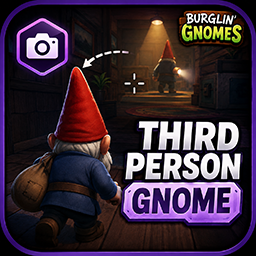
A clean, configurable third-person toggle for Burglin' Gnomes. Press a key to drop out of first-person into an over-the-shoulder view — your whole gnome, head and all.
How it works
Rather than hacking the camera from the outside, ThirdPersonGnome flips the game's own built-in third-person mode (the Camera3D the game already ships with). That means the view, the body, and the head all render exactly the way the developers intended — no fighting the rig, no missing head, no janky rotation.
Features
- Toggle on a hotkey (default V) — switch first/third person any time
- Native camera — uses the game's real third-person camera, so look, collision, and framing feel right
- Full gnome — your head and body show correctly in third person
- Optional FOV and distance — nudge these if you want; otherwise the game's camera is left completely untouched
- Client-side only — no host required, safe in multiplayer
Usage
Press V to toggle. Everything else is in the config file, generated after the first launch.
Configuration
| Section | Setting | Default | Description |
|---|---|---|---|
| General | ToggleKey | V | Key to switch third-person on/off |
| General | StartActive | false | Begin each run already in third person |
| Camera | FieldOfView | 0 | Third-person FOV. 0 = leave the game's default alone |
| Camera | Distance | 0 | Camera distance behind the gnome. 0 = leave the game's default alone |
Both camera settings default to 0, meaning the camera behaves exactly like the game's own. Set Distance to around 3–4 or FieldOfView to ~70 to taste; toggling back to first-person restores everything untouched.
Requirements
- BepInEx 5 (Mono)
Installation
Install with a Gale mod manager, or drop the DLL into BepInEx/plugins.